Descript Alternatives for Talking-Head Videos: 6 AI Editors That Cut Pauses and Retakes for You
Descript alternatives for talking-head videos: 6 AI editors that cut pauses, filler words and retakes for you, with prices from their official pages.
The short answer: if you record yourself talking to the camera and want a finished video, not a transcript to edit, pick by how much of the edit you want done for you.
- The whole edit in one click (cuts, zooms, captions, music, effects): Renderster.
- Cuts done, then finish in Premiere or DaVinci: Gling or FireCut.
- Quick cleanup in a browser editor: VEED Magic Cut or Kapwing Smart Cut.
Edit your next recording with a 7-day free trial →
Who this list is for
Descript is a great editor. Editing video by editing its transcript was a real step forward, and for podcasts with several speakers, careful interviews or anything you want to shape word by word, it's still one of the best tools.
But a lot of people who search "Descript alternatives" don't want a better editor. They want less editing. They record a YouTube video, a lesson, a course module or a LinkedIn update on their own, talking to the camera, and they want three things gone: the pauses, the "um"s and the takes they messed up. Then they want it to look like a YouTube video: some zooms, captions, maybe music.
This list is for that person. Every tool here removes silences automatically. They differ on what happens after that: whether retakes are found for you, whether the rest of the edit is done, and where you finish.
How we compared
We read each tool's official pricing and feature pages on October 10, 2026 and link to every one. Prices and limits in this post come only from those pages; when a page didn't show a number we needed, we left it out instead of guessing. We did not run the same recording through every tool, so this is not a quality ranking: try two of them on one of your own recordings before paying.
Renderster is our product. It's first because this is our blog. We say where the others are better, and when Descript is still the right pick.
Comparison table
As of October 2026, from the pages linked in each section.
| Tool | Where you edit | Silences and "um"s | Retakes | Zooms, captions, music, B-roll done for you | Paid plans from | Free option |
|---|---|---|---|---|---|---|
| Descript (baseline) | Its own editor | Yes | Yes (Remove Retakes) | Mostly by hand in its editor | $16/person/month yearly, $24 monthly | 60 min/month, 720p, watermark |
| Renderster | Web app or API, finished video | Yes | Yes (Cut them / Keep every take) | Yes: zooms, title, captions, sound effects, music, cutaways | $29/month, 600 credits (3 credits per edited minute) | 7-day free trial on paid plans |
| Gling | Web app, export MP4 or XML | Yes | Yes (bad takes) | Captions, zoom, AI B-roll | $10/month yearly, $20 monthly | 1 hour/month, watermark |
| FireCut | Premiere Pro or DaVinci plugin; web app for Shorts | Yes | Pro plans (repeated takes) | Captions, zooms, B-roll, music (by plan) | Premiere Starter $6/month yearly, $12 monthly | 7-day free trial; Shorts app free with watermark |
| VEED Magic Cut | Browser editor | Yes | "Repeated mistakes" | No, it's one cleanup step | Price not readable on the page when checked | Available on the free plan, per VEED's help article |
| Kapwing Smart Cut | Browser editor | Yes, plus stutters | Phrases you ask it to remove | No, it's one cleanup step | $16/month yearly, $24 monthly | Watermark, 720p, exports up to 4 min |
| CapCut | Desktop, mobile, web editor | Filler words (desktop) | By hand | By hand | Prices vary by country | Yes |
1. Renderster (one-click edit, effects and music)
What it is: a web app (and API) that takes your raw recording and gives back an edited video. In the app it's the Auto edit option on the Media page: "The whole video edited: pauses and retakes cut, zooms, title, captions and sound effects."
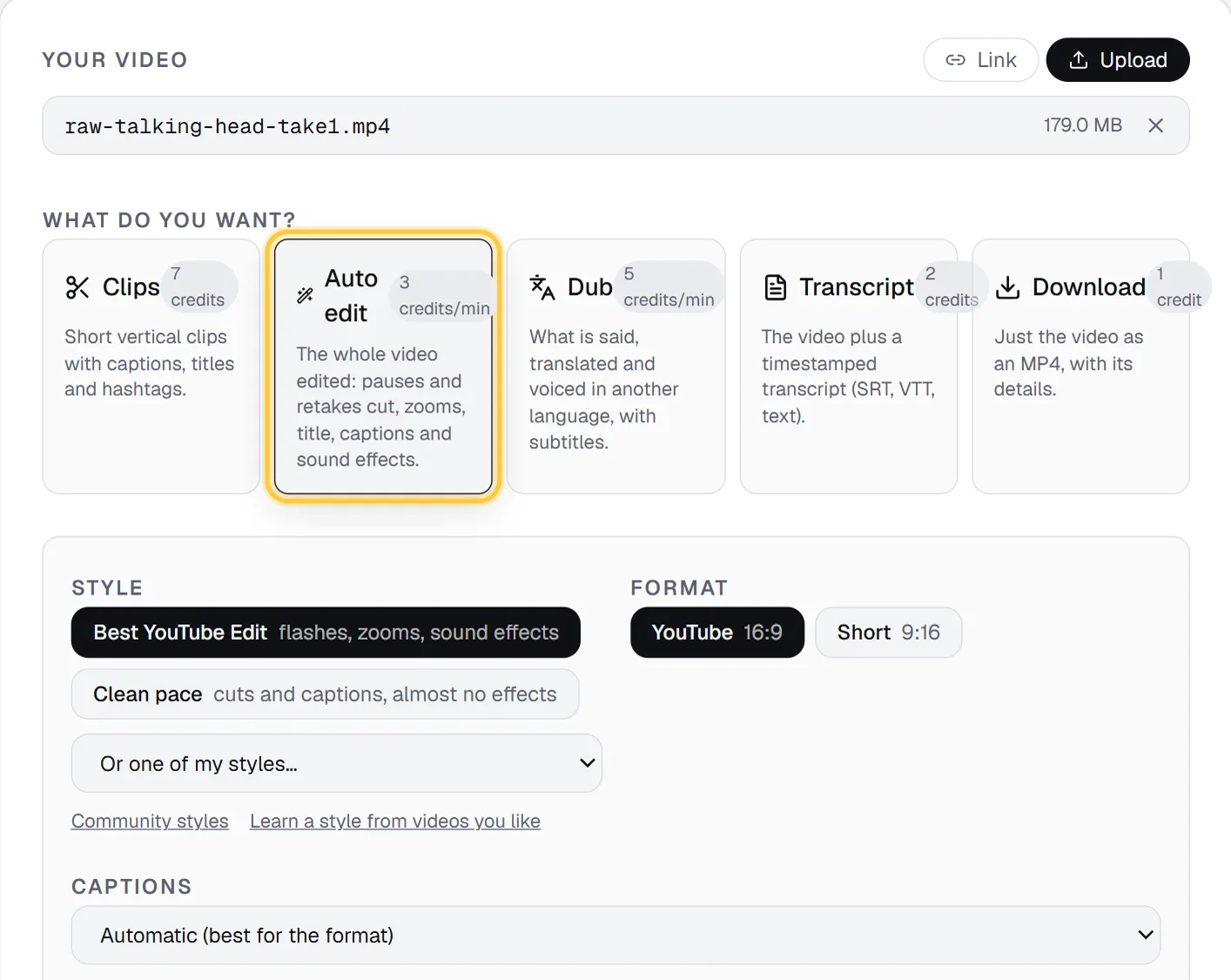
What it does to a talking-head video:
- Pauses and "um"s are cut, leaving a short breath so the speech doesn't sound chopped.
- Retakes: with Cut them (the default), "a line you stopped and said again goes; the last take stays. Lines repeated on purpose stay." With Keep every take, nothing is removed.
- A test before the start or a remark after the goodbye ("is it recording?") is left out.
- Punch-in zooms on cuts so jump cuts look intentional, and the framing follows your face if you move.
- A title, burned-in captions, and keywords and numbers popping up as you say them.
- Sound effects and music: an AI "editing director" reads what you say and how (loudness, pace), picks the music's mood and where it comes in and drops out.
- Clean sound: with Clean it up, rumble filtered and room noise reduced; the volume is always evened out.
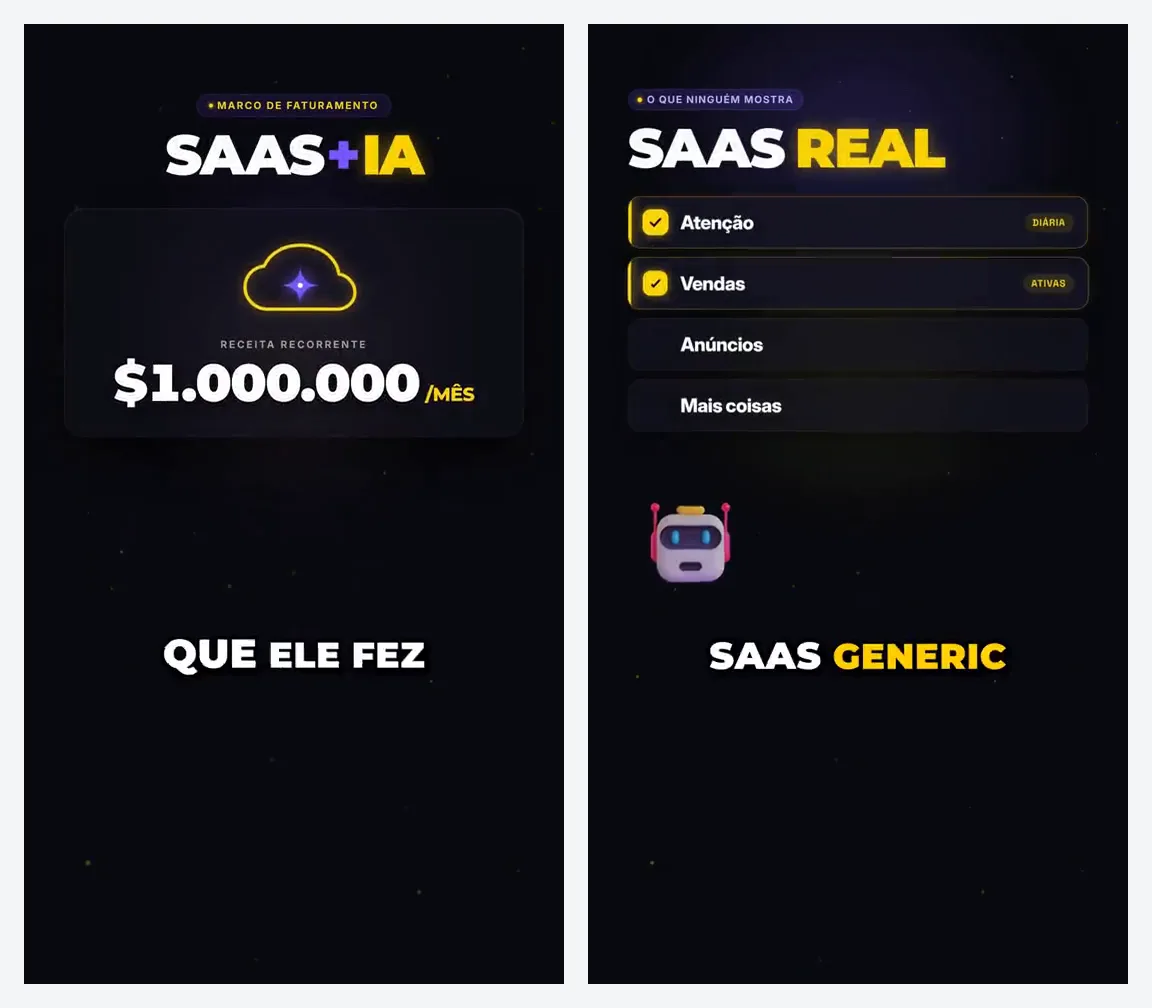
- Cutaways (optional): paste up to 10 links of your own B-roll (screenshots, product shots, YouTube/TikTok/Instagram videos), or let it use free stock clips that match what you say, or animations made for your video (big numbers, icons, charts, kinetic type) for 3 extra credits per cutaway.
- Screen recordings: a box and an arrow show what each keyword on screen is about, and your camera video can go in a circle in a corner.
Styles: Best YouTube Edit ("flashes, zooms, sound effects") or Clean pace ("cuts and captions, almost no effects"). You can also learn a style from 1 to 3 videos you like (2 credits per video) or use one that other creators shared. Format: YouTube (16:9) or Short (9:16).
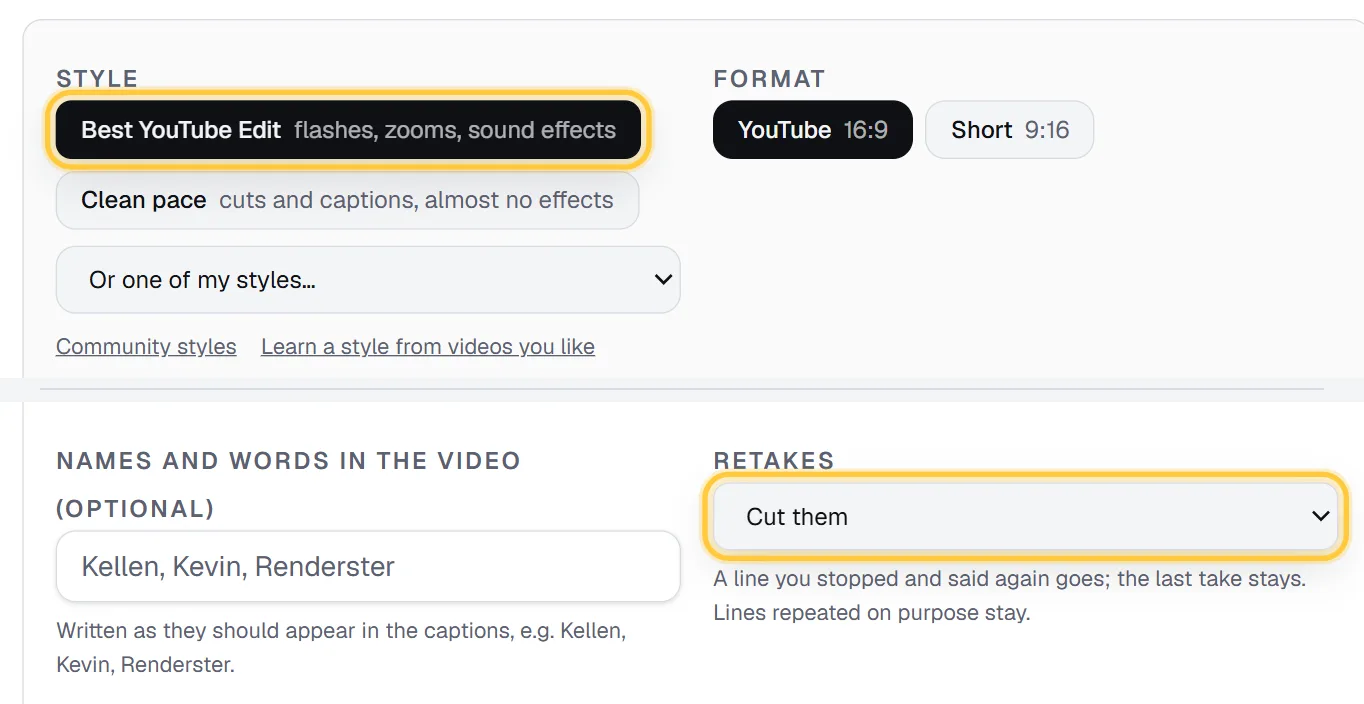
Limits: sources up to 30 minutes, and up to 10 videos joined into one. You get a finished MP4 (plus a smaller copy for WhatsApp when the file is big) and can open it in Renderster's editor to change a caption or add a logo. There is no transcript-based editing like Descript's, and no timeline export of the auto edit to Premiere: it's built to hand you the finished video.
Price: 3 credits per started minute of the edited video. A 5-minute raw take that ends up as a 4-minute video costs 12 credits, about $0.58 on Starter ($29 for 600 credits). Auto edit is on paid plans; every paid plan starts with a 7-day free trial with 100 credits, which covers several edits. See pricing.
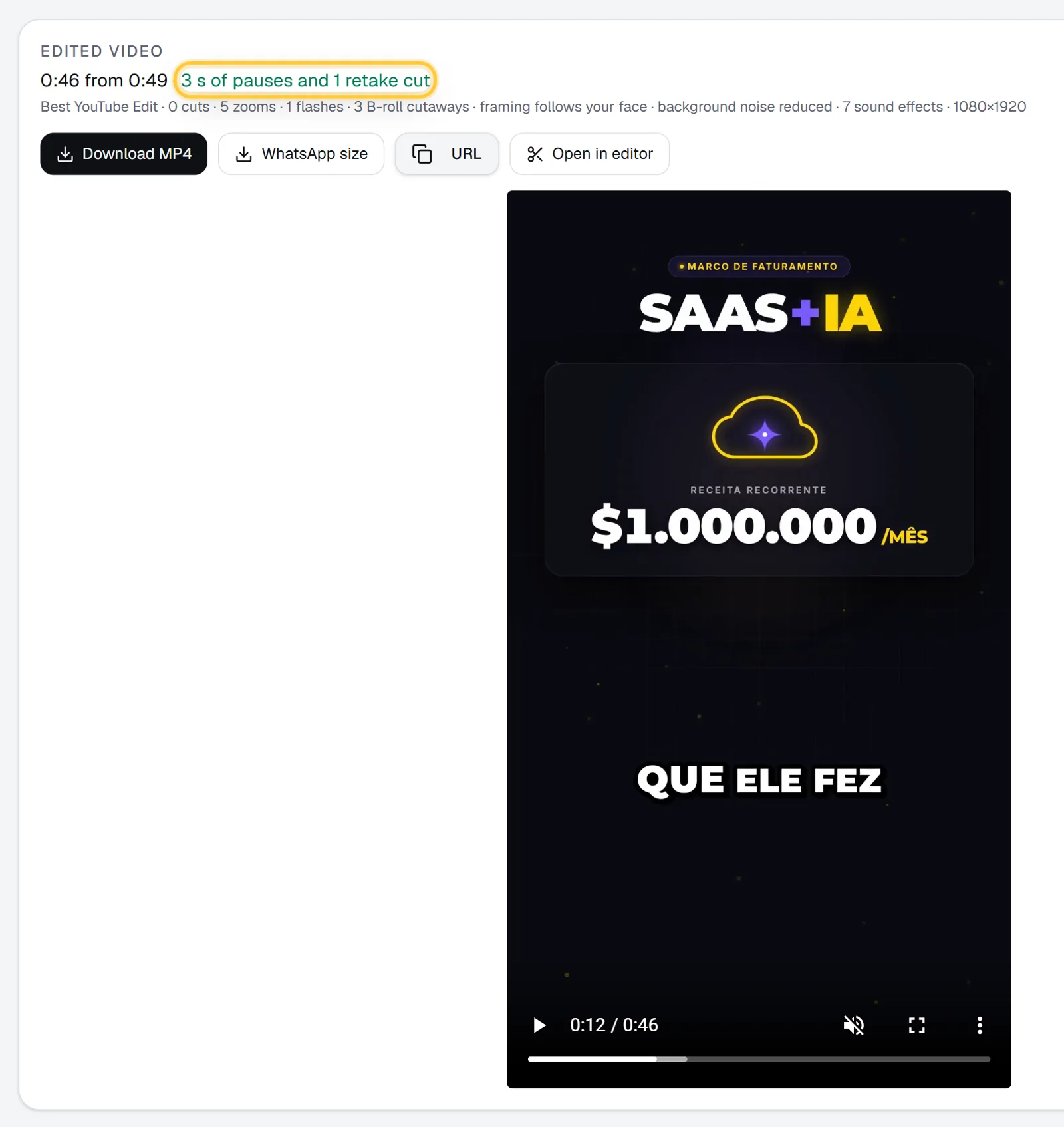
Where others are better: if you want to fine-tune every cut in a timeline, Gling and FireCut hand you an editable project in Premiere or DaVinci. If you edit by rewriting the transcript, Descript is still the tool. Renderster has no free auto edit (the Free plan covers one clips job, not auto edit).
Pick it if: you want to record, upload and post, with the whole edit (not just the cleanup) done. The full walkthrough is in How to Edit a Talking-Head Video With AI, and for the high-energy style see How to Edit Like MrBeast With AI.
2. Gling
What it is: an AI editor made for YouTubers who talk to the camera. From Gling's pricing page (October 2026), it removes "silences & filler words" and "bad takes", adds "AI Captions", "auto framing (Zoom in/out)", "AI B-rolls" and "speech audio enhancement".
Where you finish: export an MP4/MP3, or an XML for Premiere, Final Cut Pro or Resolve, so you can keep editing in your usual software.
Price, as of October 2026:
| Plan | Monthly | Billed yearly | AI-edited media per month |
|---|---|---|---|
| Free | $0 | $0 | 1 hour (watermark) |
| Plus | $20 | $10/month | 10 hours |
| Pro | $40 | $20/month | 30 hours |
| Elite | $100 | $50/month | 100 hours |
Where it's better than Renderster: the XML export is a big deal if you want to fine-tune in Premiere or DaVinci. The free hour a month lets you try it without a card (with a watermark).
Where it's weaker: we didn't see music or sound effects in the feature list on its pricing page, so that part of the "YouTube feel" may still be on you.
Pick it if: you like your editor and just want the boring first pass done.
3. FireCut
What it is: mainly a plugin for Premiere Pro and DaVinci Resolve, plus a separate web app for Shorts. From FireCut's pricing page (October 2026):
- Premiere Pro Starter: $12/month, or $6/month yearly. Silence removal and J-cuts.
- Premiere Pro Pro: $22/month, or $13/month yearly. 25 hours of transcription a month, captions in 50+ languages, B-roll, music, zooms, chapters and repeated takes removal.
- Premiere Pro Max: $28/month, or $22/month yearly. 100 hours of transcription, voiceover, 4K B-roll.
- DaVinci Resolve Pro: $13/month, or $10/month yearly. Silence, filler, repetition and profanity removal, captions, zooms, B-roll, music, and sound effects.
- FireCut Shorts (web app): a free tier with 25 videos a month at 720p with a watermark; the paid tier adds captions, B-roll, music and sound effects for videos up to 5 minutes.
Most plans have a 7-day free trial.
Where it's better: it works inside the editor you already pay for. Every cut stays editable in your timeline.
Where it's weaker: you need Premiere Pro or DaVinci Resolve (and to know them). It's a faster editor, not a finished video.
Pick it if: you already edit in Premiere or DaVinci and want to stop doing silence cuts by hand.
4. VEED Magic Cut
What it is: a one-click cleanup inside VEED's browser editor. According to VEED's help article on Magic Cut (October 2026), it removes "complete silences, filler words, repeated mistakes, and awkward pauses" and joins the rest "into a smooth, continuous video". The article says it supports English only and is available on every plan, including the free one.
Price: VEED's pricing page didn't show readable prices when we checked, so we don't print one. Check veed.io/pricing for the current plans.
Where it's better: VEED is a full browser editor with lots of extra tools (subtitles, translations, AI avatars), so the cleanup is one step inside a bigger kit.
Where it's weaker: English only for Magic Cut, and after the cleanup you still edit the rest yourself.
Pick it if: you record in English and like editing in the browser.
5. Kapwing Smart Cut
What it is: a cleanup feature in Kapwing's browser editor. From the Smart Cut page (October 2026): "Automatically remove silences, filler words, and stutters", and you can ask the AI in plain words to remove phrases you don't want. The page says you can try Kapwing's core AI editing on the Free plan, with a watermark.
Price, from Kapwing's pricing page (October 2026):
- Free: watermark, 720p, exports up to 4 minutes, 30 minutes of export a month.
- Pro: $24/month, or $16/month billed yearly ($192 a year). Dubbing up to 50 minutes a month.
- Business: $64/month, or $50/month billed yearly ($600 a year).
Where it's better: a full browser editor, and you can tell Smart Cut in plain words what to cut.
Where it's weaker: like VEED, it cleans up; the zooms, music and pacing are still your job.
Pick it if: your team already works in Kapwing.
6. CapCut (free, manual)
What it is: the free editor most creators already have. Its filler-word remover page (October 2026) says it detects and deletes "unnecessary pauses, ums, and ahs", from the auto captions panel of CapCut Desktop, and that you can do it "for free with CapCut's trial".
Price: free app, with Pro plans whose prices vary by country, so we don't print one.
Where it's better: cost and control. Every zoom, caption and sound effect is exactly where you put it.
Where it's weaker: it's all by hand. Retakes, zooms, captions styling, music: that's the hour you were trying to save.
Pick it if: you enjoy editing, or you post rarely.
When Descript is still the right pick
Being honest, Descript is the better tool when:
- You edit by meaning, not by silence. Deleting a sentence from the transcript and having the video follow is still Descript's best trick.
- You have several speakers (interviews, podcasts with guests) and need multitrack control.
- You want to fix words, not just remove them.
- You need dubbing into many languages with proofreading (Business plan, 30+ languages per its pricing page).
Descript's prices as of October 2026: Free (60 minutes a month, 720p with a watermark), Hobbyist $16 per person per month billed yearly or $24 monthly (10 media hours, 1080p), Creator $24 yearly or $35 monthly (30 media hours, 4K), Business $50 yearly or $65 monthly (40 media hours). Remove Filler Words, Remove Retakes and Edit for Clarity are limited on Free and included from Hobbyist up.
If your problem is "I spend an hour cleaning every 10-minute video", the tools above save that hour. If your problem is "I want precise control over a complex edit", stay with Descript.
What a 5-minute raw take costs on each
A rough comparison for one creator recording one 5-minute take, four times a month (20 minutes of raw video a month), on the cheapest paid plan that covers it, monthly billing, as of October 2026:
| Tool | Plan | Monthly price | What's left to do by hand |
|---|---|---|---|
| Renderster | Starter | $29 (4 edits use about 48–60 of 600 credits) | Review and post |
| Gling | Plus | $20 | Music, effects; finishing in your editor if you export XML |
| FireCut (Premiere) | Pro | $22 + your Premiere subscription | Review in Premiere, export |
| Kapwing | Pro | $24 | Zooms, music, pacing |
| Descript | Hobbyist | $24 | Zooms, music, styling, review the AI's cuts |
| CapCut | Free | $0 | Everything except the filler words |
At this volume, Renderster's Starter plan has most of its credits left, which the same account can spend on clips from those videos (7 credits per video), dubbing (5 credits per minute) or transcripts.
Do it automatically
If you post often, the edit can run without opening the app. POST /media with type: "auto_edit" edits a video from a link, and a webhook tells you when it's done:
curl -X POST https://renderster.com/media \
  -H "X-API-Key: YOUR_API_KEY" \
  -H "Content-Type: application/json" \
  -d '{
    "type": "auto_edit",
    "url": "https://example.com/raw/my-recording.mp4",
    "options": {"edit_style": "clean", "orientation": "horizontal", "retakes": "cut"},
    "webhook_url": "https://example.com/hooks/edit-ready"
  }'
Drop raw recordings in a folder, and an n8n or Make flow sends each one and posts the result. You can also ask Claude or ChatGPT to do it through the Renderster connector. The fields are in the API docs.
FAQ
What is the best Descript alternative for talking-head videos?
It depends on how much editing you want to keep. For a finished video in one click (cuts, retakes, zooms, captions, music), Renderster's Auto edit. To cut silences and bad takes and then finish in Premiere or DaVinci, Gling or FireCut. For a quick cleanup in a browser editor, VEED Magic Cut or Kapwing Smart Cut.
Is there a free Descript alternative?
Yes, with limits. Gling's free plan edits 1 hour a month with a watermark, Kapwing's free plan lets you try its AI editing with a watermark at 720p, VEED's help article says Magic Cut is on its free plan, and CapCut is free if you edit by hand. Renderster's Auto edit is paid, with a 7-day free trial.
Which AI video editor actually edits the video for you?
Most tools remove silences and stop there. Renderster's Auto edit also cuts retakes and adds zooms, a title, captions, sound effects, music and optional cutaways, and returns a finished MP4. Gling adds captions, zoom and AI B-roll and exports to your editor.
Can these tools remove retakes, not just pauses?
Some can. Descript has Remove Retakes, Renderster has Retakes set to Cut them, Gling removes "bad takes", FireCut's Pro plans remove repeated takes, and VEED's Magic Cut lists "repeated mistakes". Kapwing lets you ask it to remove phrases you don't want.
Do I need Premiere Pro to use these?
Only for FireCut's main plans, which are plugins for Premiere Pro or DaVinci Resolve. Renderster, Gling, VEED, Kapwing and Descript work on their own; Gling can also export an XML for Premiere, Final Cut or Resolve.
When should I stay with Descript?
When you edit by changing the transcript, work with several speakers, or need precise word-level fixes. Descript is a full editor; the tools here are mostly about saving the hour of cleanup on a solo recording.