n8n YouTube Shorts Automation: Long Video In, Captioned Clips Out
An n8n YouTube Shorts automation that cuts every new video of a channel into captioned vertical clips, with a workflow JSON you can import.
To automate YouTube Shorts with n8n:
- Trigger the workflow from the channel's RSS feed whenever a new video comes out.
- Send the video link to Renderster with one HTTP Request node (
POST /media,type: "clips"). - Wait for the job, then post the clips to Slack, Google Drive or YouTube.
Each video costs 7 credits, however long it is. Get your API key →
Most "n8n Shorts" tutorials build a faceless video from a template: a script, stock footage and a robot voice. This one does what most people actually want. It takes the long video you already published and cuts it into real Shorts: the best moments, vertical, with the speaker in frame, captions burned in and a title for each clip.
No community node and no plugin. It's plain HTTP Request nodes, and the full workflow JSON is further down so you can paste it into n8n.
What this workflow does
Here is the flow, node by node:
New video on the channel (RSS Feed Trigger, every hour)
  → Settings (Edit Fields: clip count, caption style, topic)
  → Create clips job (HTTP Request: POST https://renderster.com/media)
  → Wait 60 s
  → Check the job (HTTP Request: GET status_url)
  → Status (Switch)
       Done          → Post the clips to Slack
       Failed        → Job failed (Stop and Error)
       Still working → back to Wait 60 s
Renderster does the heavy part. It downloads the video, transcribes it, picks the moments worth posting (it favors the parts YouTube viewers replay the most, when the video has that data), crops each one to 9:16 around the speaker, burns word-by-word captions and writes a title, hook, description and hashtags for each clip. n8n only moves links around.
What you need
- An n8n instance (n8n Cloud or self-hosted, any recent version).
- A Renderster account and its API key. The Free plan includes one clips job (up to 3 clips), which is enough to test the workflow once. To clip every new video you need a paid plan; they start with a 7-day free trial.
Step 1: Get your API key and add it to n8n
Sign in to Renderster and open the API Key page. Your personal key is there, hidden by default, with a copy button. The page also shows the two ways to send it: the X-API-Key header or Authorization: Bearer.
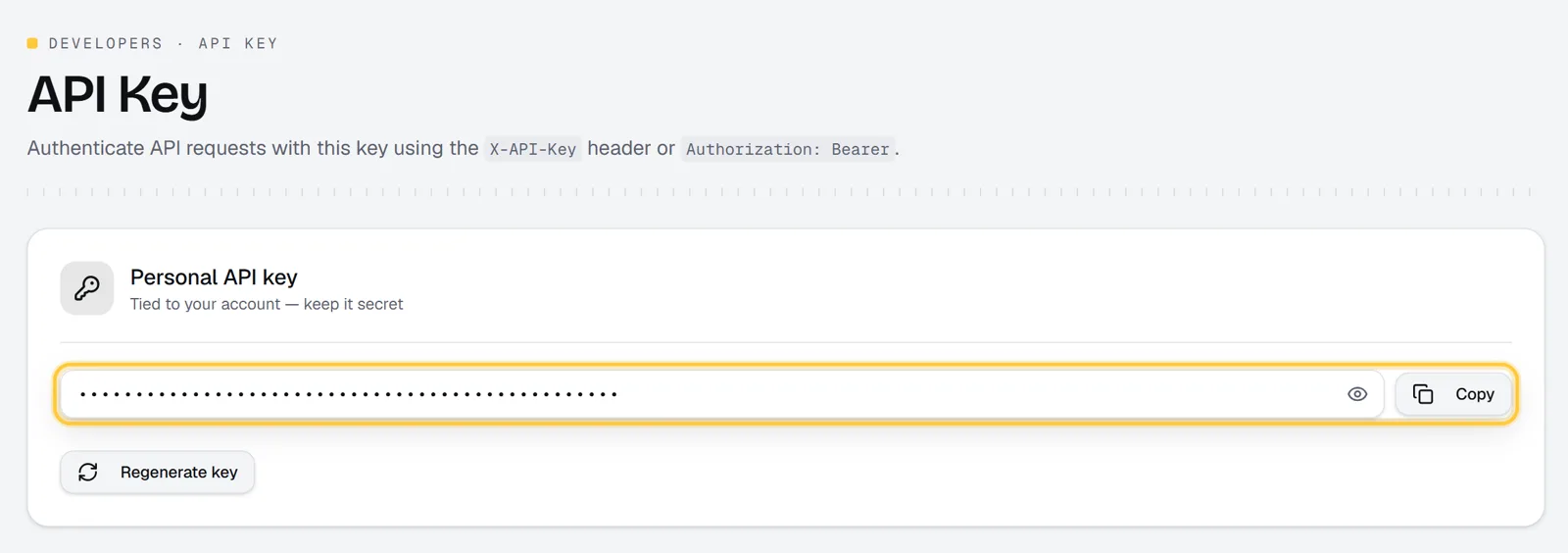
In n8n, create a credential of type Header Auth:
- Name:
X-API-Key - Value: your key
Every Renderster node in the workflow uses this one credential. Never paste the key into a node's URL or body: it would end up in exported workflows and screenshots.
Step 2: Trigger on a new video (RSS)
Every YouTube channel has a public RSS feed:
https://www.youtube.com/feeds/videos.xml?channel_id=CHANNEL_ID
The channel ID starts with UC. You find it on the channel's About page (Share channel → Copy channel ID).
Add an RSS Feed Trigger node, paste the feed URL and set the poll time. The template checks every hour. Each new entry gives you link (the video URL) and title.
Then an Edit Fields (Set) node called Settings holds what you may want to change later:
| Field | Value in the template | What it does |
|---|---|---|
video_url |
{{ $json.link }} |
The new video |
video_title |
{{ $json.title }} |
Used in the Slack message |
clip_count |
5 |
1 to 12 clips per video |
caption_style |
bold |
Also karaoke, highlight, single, boxed, clean, neon, box, beast, cortes, minimal |
topic |
empty | Optional: keep only moments about a subject, e.g. "the pricing questions" |
Keeping these in one node means you never have to open the HTTP Request body to change a setting.
Step 3: HTTP Request to create the clips
Add an HTTP Request node named Create clips job:
- Method: POST
- URL:
https://renderster.com/media - Authentication: Generic Credential Type → Header Auth → your Renderster credential
- Send Headers: on, with
Idempotency-Key={{ $execution.id }}-{{ $itemIndex }} - Send Body: on, JSON:
{{ JSON.stringify({
  url: $json.video_url,
  type: 'clips',
  options: Object.assign(
    { clip_count: $json.clip_count, caption_style: $json.caption_style, hook_title: true },
    $json.topic ? { topic: $json.topic } : {}
  )
}) }}
hook_title: true shows each clip's title in a box at the top for the first seconds. Leave it out if you prefer clean clips.
The Idempotency-Key header matters more than it looks. n8n retries failed nodes, and networks drop answers. With the header, the same request within 24 hours returns the first answer instead of creating a second job and charging you twice. The key is the execution ID plus the item index, so two new videos in the same run still get two jobs.
Renderster answers right away with 202 Accepted:
{
  "id": "0f8b6c2e-5d1a-4c3e-9b7f-2a6d8e4c1b90",
  "status": "queued",
  "status_url": "https://renderster.com/media/0f8b6c2e-5d1a-4c3e-9b7f-2a6d8e4c1b90",
  "platform": "youtube",
  "type": "clips",
  "credit_cost": 7
}
The clips are not ready yet. That's the next step.
Step 4: Wait for the job (poll or webhook)
A clips job usually takes a few minutes, depending on the video's length. You have two ways to wait.
Option A: poll (what the template does)
A small loop:
- Wait 60 s (Wait node).
- Check the job: an HTTP Request GET to
{{ $('Create clips job').item.json.status_url }}with the same credential. The template turns on Retry On Fail (3 tries, 5 s apart) so one network hiccup doesn't kill the run. - Status: a Switch node on
{{ $json.status }}.completedgoes to Done,failedto Failed, and anything else (queued,processing) goes back to the Wait node.
Polling works everywhere, including an n8n running on your laptop. Status reads are cheap and don't cost credits (the limit is 1,200 a minute per account, far above what this loop does).
Option B: webhook
Add webhook_url to the body and Renderster calls it when the job ends. You can point it at a Webhook node in another workflow, or at a Wait node set to resume On Webhook Call (pass {{ $execution.resumeUrl }} as webhook_url).
The webhook body is short:
{"id": "0f8b6c2e-…", "status": "completed", "output_url": "https://renderster.com/files/…"}
On failure it carries "status": "failed" and an error message. It doesn't carry the clips, so after the webhook, do one GET on https://renderster.com/media/{{ $json.body.id }} to read result.clips. Renderster tries each webhook 3 times and only calls public addresses, so an n8n on localhost will never receive it. Use polling there.
Step 5: Post or send the clips
When the job is done, result.clips is a list. Each clip has:
| Field | Example |
|---|---|
index |
1 |
url |
https://renderster.com/files/…/clip_01.mp4 |
thumbnail |
a JPEG frame |
title |
"The promise nobody expected" |
hook |
the opening line |
description, hashtags |
ready for the post |
duration, start, end |
seconds |
score |
how strong the AI thinks it is (0–100) |
The template sends one Slack message with every clip's title, length and link:
{{ '*New clips from:* ' + $('Settings').item.json.video_title + '\n' +
   $json.result.clips.map(c => '• ' + c.title + ' (' + Math.round(c.duration) + ' s): ' + c.url).join('\n') }}
You don't need your own storage for this. Every clip link is a signed link on renderster.com (/files/<signature>/<key>). It opens in any browser, supports seeking, and ?download=1 at the end forces a download. Nobody needs a Renderster account to open it. Each job also has an expires_at date, after which its files may be deleted, so copy what you want to keep before then.
Other endings people use:
- Google Drive: add Split Out on
result.clips, then an HTTP Request that downloads{{ $json.url }}as a file, then Google Drive → Upload. We have this exact flow as a second template (form → clips → Drive). - YouTube: after the download, n8n's YouTube node (resource Video, operation Upload) can post a clip with
titleanddescriptionfrom the result. Start with privacy set to private or unlisted and review before publishing. - A review sheet: append one row per clip to Google Sheets with the link, title and hashtags, and publish by hand from there.
Look at the clips before they go public, at least for the first weeks. The AI picks moments well, but you know your audience and your brand.
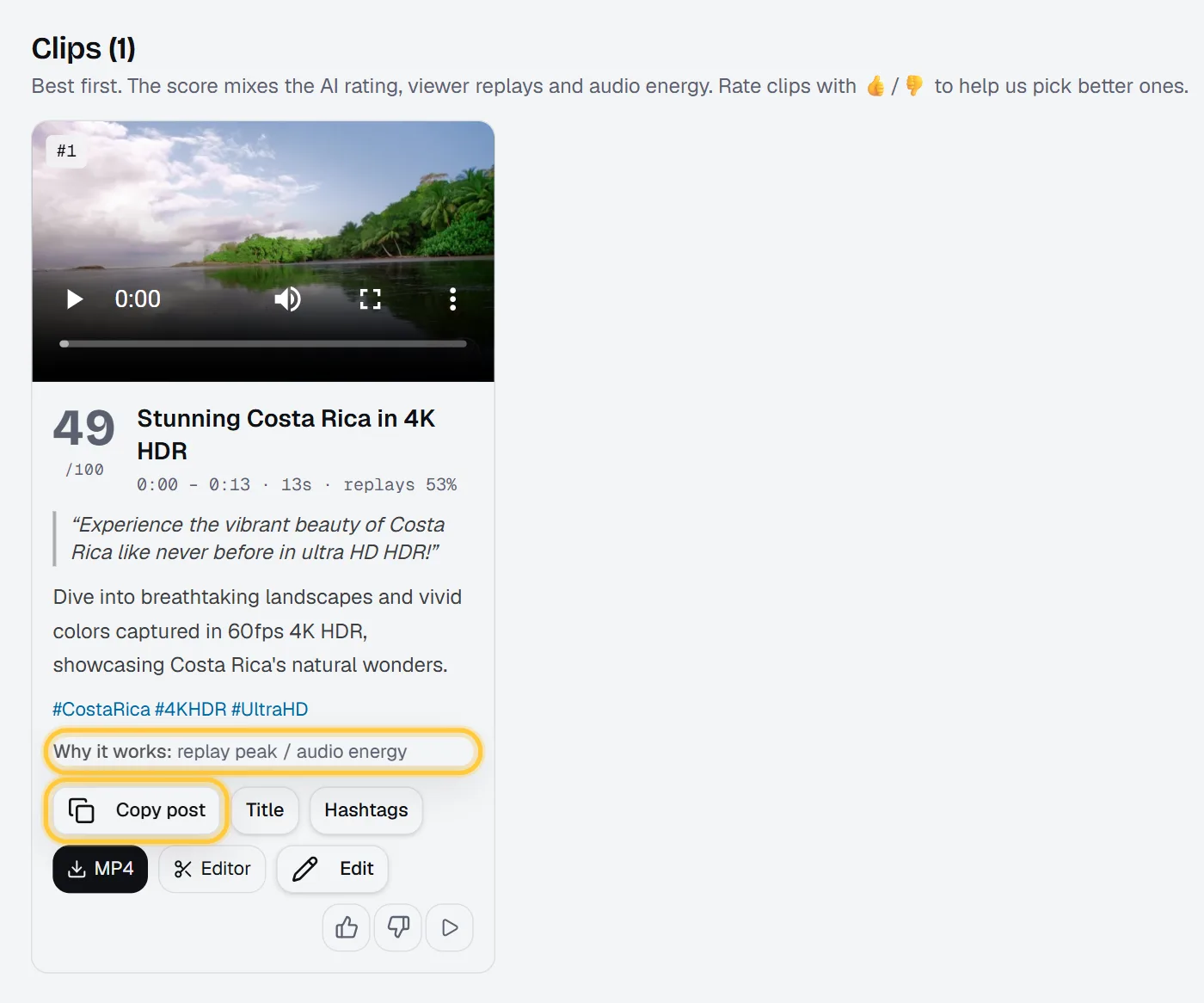
Jobs created by the API show up in your Jobs list like any other, and the usage page marks where each call came from (n8n requests are tagged n8n).
Download the workflow JSON
Copy the JSON below, open an empty workflow in n8n and paste it (Ctrl+V / Cmd+V) on the canvas. Then:
- Replace
CHANNEL_IDin New video on the channel. - Pick your Renderster Header Auth credential in Create clips job and Check the job.
- Connect Slack and pick the channel in Post the clips to Slack.
- Activate the workflow.
{
  "name": "Clip every new YouTube video from a channel and share the clips in Slack",
  "nodes": [
    {"parameters": {"pollTimes": {"item": [{"mode": "everyHour"}]}, "feedUrl": "https://www.youtube.com/feeds/videos.xml?channel_id=CHANNEL_ID"},
     "id": "a31d696c-1aad-50ce-b372-2abf1d1de6d9", "name": "New video on the channel", "type": "n8n-nodes-base.rssFeedReadTrigger", "typeVersion": 1, "position": [-400, 0]},
    {"parameters": {"assignments": {"assignments": [
        {"id": "9cd35b83-3820-5924-a6b0-08a83ac6aa30", "name": "video_url", "value": "={{ $json.link }}", "type": "string"},
        {"id": "23d09df8-7b1e-5a30-a8b0-672d7fd67c32", "name": "video_title", "value": "={{ $json.title }}", "type": "string"},
        {"id": "e959d35d-eb12-5701-aa03-4b13ed46618f", "name": "clip_count", "value": 5, "type": "number"},
        {"id": "caf235b1-bc59-5602-a6b7-30371b210484", "name": "caption_style", "value": "bold", "type": "string"},
        {"id": "00711168-c6d0-5302-a9d9-222cd539f84a", "name": "topic", "value": "", "type": "string"}]}, "options": {}},
     "id": "c1d27d50-e90d-5e0f-b233-0d22ee282c7f", "name": "Settings", "type": "n8n-nodes-base.set", "typeVersion": 3.4, "position": [-180, 0]},
    {"parameters": {"method": "POST", "url": "https://renderster.com/media", "authentication": "genericCredentialType", "genericAuthType": "httpHeaderAuth",
        "sendHeaders": true, "headerParameters": {"parameters": [{"name": "Idempotency-Key", "value": "={{ $execution.id }}-{{ $itemIndex }}"}]},
        "sendBody": true, "specifyBody": "json",
        "jsonBody": "={{ JSON.stringify({ url: $json.video_url, type: 'clips', options: Object.assign({ clip_count: $json.clip_count, caption_style: $json.caption_style, hook_title: true }, $json.topic ? { topic: $json.topic } : {}) }) }}",
        "options": {}},
     "id": "8766f80a-f1d8-5025-8da7-677a4a13c83e", "name": "Create clips job", "type": "n8n-nodes-base.httpRequest", "typeVersion": 4.4, "position": [40, 0],
     "credentials": {"httpHeaderAuth": {"id": "REPLACE_ME", "name": "Renderster API key (X-API-Key)"}}},
    {"parameters": {"amount": 60}, "id": "426ebf51-fa58-5cf5-a7e1-f163c4c1caab", "name": "Wait 60 s", "type": "n8n-nodes-base.wait", "typeVersion": 1.1, "position": [260, 0],
     "webhookId": "476947af-2bf0-55cd-9448-833ef2fdb77b"},
    {"parameters": {"url": "={{ $('Create clips job').item.json.status_url }}", "authentication": "genericCredentialType", "genericAuthType": "httpHeaderAuth", "options": {}},
     "id": "8d7eb702-6254-5fef-8a0d-898d0b088e68", "name": "Check the job", "type": "n8n-nodes-base.httpRequest", "typeVersion": 4.4, "position": [480, 0],
     "credentials": {"httpHeaderAuth": {"id": "REPLACE_ME", "name": "Renderster API key (X-API-Key)"}}, "retryOnFail": true, "maxTries": 3, "waitBetweenTries": 5000},
    {"parameters": {"rules": {"values": [
        {"conditions": {"options": {"caseSensitive": true, "leftValue": "", "typeValidation": "strict"},
          "conditions": [{"leftValue": "={{ $json.status }}", "rightValue": "completed", "operator": {"type": "string", "operation": "equals"}}], "combinator": "and"},
         "renameOutput": true, "outputKey": "Done"},
        {"conditions": {"options": {"caseSensitive": true, "leftValue": "", "typeValidation": "strict"},
          "conditions": [{"leftValue": "={{ $json.status }}", "rightValue": "failed", "operator": {"type": "string", "operation": "equals"}}], "combinator": "and"},
         "renameOutput": true, "outputKey": "Failed"}]},
        "options": {"fallbackOutput": "extra", "renameFallbackOutput": "Still working"}},
     "id": "21840310-3971-528c-b377-14ace73d5473", "name": "Status", "type": "n8n-nodes-base.switch", "typeVersion": 3.4, "position": [700, 0]},
    {"parameters": {"errorMessage": "={{ 'Renderster job failed: ' + $json.message }}"},
     "id": "1126f9ea-912a-5332-b915-1814644e394f", "name": "Job failed", "type": "n8n-nodes-base.stopAndError", "typeVersion": 1, "position": [940, 200]},
    {"parameters": {"resource": "message", "operation": "post", "select": "channel", "channelId": {"__rl": true, "value": "", "mode": "list"},
        "text": "={{ '*New clips from:* ' + $('Settings').item.json.video_title + '\\n' + $json.result.clips.map(c => '• ' + c.title + ' (' + Math.round(c.duration) + ' s): ' + c.url).join('\\n') }}",
        "otherOptions": {}},
     "id": "baaf5a76-483f-51fe-839e-99fd35fe08b9", "name": "Post the clips to Slack", "type": "n8n-nodes-base.slack", "typeVersion": 2.4, "position": [960, -120],
     "credentials": {"slackOAuth2Api": {"id": "REPLACE_ME", "name": "Slack account"}}}
  ],
  "connections": {
    "New video on the channel": {"main": [[{"node": "Settings", "type": "main", "index": 0}]]},
    "Settings": {"main": [[{"node": "Create clips job", "type": "main", "index": 0}]]},
    "Create clips job": {"main": [[{"node": "Wait 60 s", "type": "main", "index": 0}]]},
    "Wait 60 s": {"main": [[{"node": "Check the job", "type": "main", "index": 0}]]},
    "Check the job": {"main": [[{"node": "Status", "type": "main", "index": 0}]]},
    "Status": {"main": [
      [{"node": "Post the clips to Slack", "type": "main", "index": 0}],
      [{"node": "Job failed", "type": "main", "index": 0}],
      [{"node": "Wait 60 s", "type": "main", "index": 0}]]}
  },
  "settings": {"executionOrder": "v1"},
  "pinData": {},
  "meta": {"templateCredsSetupCompleted": false}
}
The JSON has no keys in it. The credential IDs say REPLACE_ME on purpose; n8n asks you to pick your own.
What it costs per video
A clips job costs 7 credits whether the video is 8 minutes or 2 hours. Polling and webhooks are free. A failed job gives its credits back.
| Uploads a month | Credits | Fits in |
|---|---|---|
| 4 (one a week) | 28 | Starter, with lots left |
| 12 (three a week) | 84 | Starter |
| 30 (one a day) | 210 | Starter (600 credits, US$29/mo) |
| 90 (three channels, daily) | 630 | Pro (2,000 credits, US$79/mo) |
On Starter, one credit is about US$0.048, so each video costs about US$0.34. Unused credits roll over, up to 3x your monthly credits. Tools that charge per minute of source video make long uploads expensive; here a 2-hour podcast costs the same as a 10-minute vlog. Full prices are on /pricing.
Troubleshooting
401 unauthorized. The credential is wrong or not selected. The header name must be exactly X-API-Key, and both HTTP Request nodes need the credential.
402 with insufficient credits. The answer says how many you have and what the job costs. Top up with a Credit Pack (500 credits that never expire) or wait for the monthly credits.
402 with free_clip_used or plan_required. The Free plan's one clips job is used, or you asked for something only paid plans have (downloads, transcripts, visual search). The Free plan's job also stops at 3 clips. Start the 7-day trial.
422. The link isn't a video Renderster can read. Check what the RSS item gives in link.
429. rate_limited means too many requests a minute (the limit is 30 media jobs a minute per account); wait for the Retry-After header. daily_limit means you reached a daily cap; the message says when it resets.
The loop never ends. Look at the job in Renderster: the Logs tab says which step it's on. You can also cancel it with DELETE https://renderster.com/media/{id}.
The job failed on a brand-new video. A premiere or live stream can show up in the feed before the video can be downloaded. The job fails and the credits come back. Add a Wait node of a few hours after the trigger if your channel does premieres.
I get Shorts I already posted. If the channel also uploads Shorts, add a Filter node after the trigger so only long videos go through (for example, a link that does not contain /shorts/).
FAQ
Is there a free n8n template for YouTube Shorts automation?
Yes. The workflow JSON on this page is free to copy and import: RSS trigger, Renderster clips job, a wait loop and a Slack message. There is also a ready-made template in the official n8n library, Edit, clip and dub Telegram videos with Renderster: send a video or link to a Telegram bot and get it back edited, clipped or dubbed. You need your own n8n and a Renderster API key. The Free plan lets you run one clips job to test it; clipping every new video needs a paid plan, which starts with a 7-day free trial.
Does this cut my real video, or make a faceless video?
It cuts your real video. Renderster downloads the long video, picks the best moments, crops them to vertical around the speaker and burns captions in. Nothing is generated from stock footage or a script.
Do I need a community node or plugin?
No. Everything uses n8n's built-in HTTP Request, Wait, Switch, RSS and Slack nodes. Authentication is a Header Auth credential with your API key in X-API-Key.
Where are the clips stored?
On Renderster. Each clip comes back as a signed link on renderster.com that anyone can open or download, so you can share it straight from Slack or a sheet. Check the job's expires_at and copy the files to your own storage if you need them longer.
Can it post to YouTube or TikTok automatically?
n8n's YouTube node can upload a video, so you can download each clip's url and upload it with the generated title and description. We suggest uploading as private or unlisted first and reviewing. For TikTok and Instagram, use their official APIs or a scheduler you already pay for.
Can I do the same with Make or Zapier?
Yes. It's the same HTTP call: POST https://renderster.com/media with the X-API-Key header and the JSON body, then poll status_url. The clips API guide has the full request and response, and the Shorts tutorial shows the same job in the web app. API reference: /docs.