How to Make Videos With Claude (and ChatGPT): Add Renderster as a Connector
How to make videos with Claude or ChatGPT: add Renderster as a custom MCP connector and ask for clips, edits, dubs and renders in plain English.
To make videos with Claude:
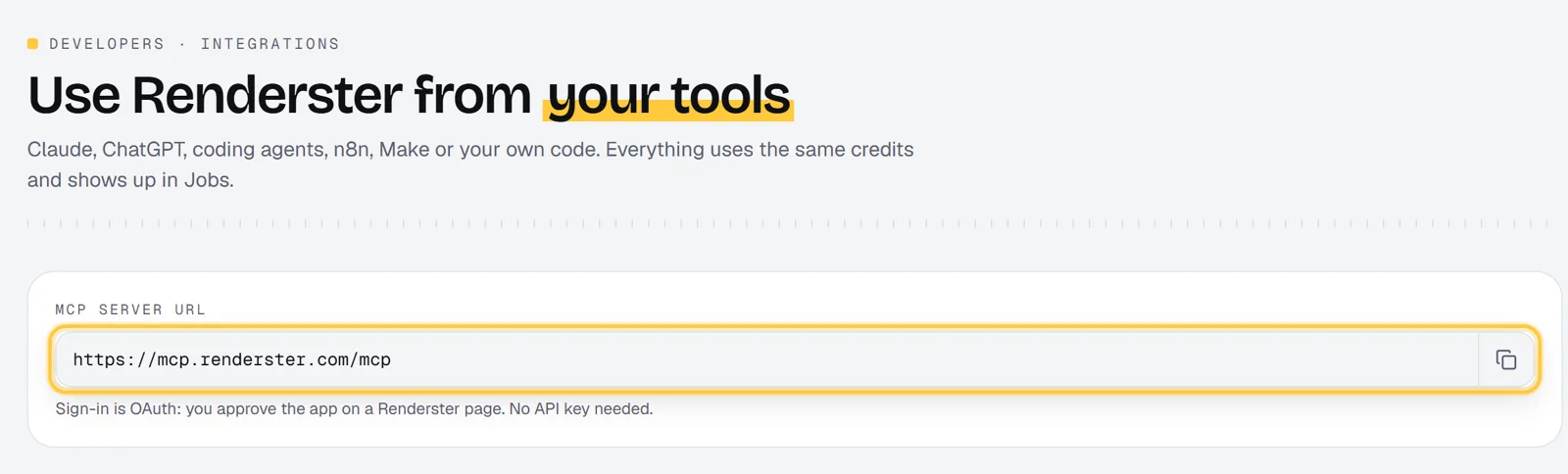
- In Claude, open Customize → Connectors, click + Add → Add custom connector and paste
https://mcp.renderster.com/mcp. - Sign in to Renderster and click Allow.
- In a chat, turn Renderster on from the + menu and ask: "Cut this YouTube video into 5 vertical clips with captions."
Setup takes about a minute. Create your Renderster account →
Can Claude make videos? (short answer)
Not on its own. Claude writes, reasons and reads files, but it has no video renderer. What it can do is call tools, and that's where a connector comes in. Once you add Renderster as a connector, Claude can:
- cut a long video into captioned vertical clips, with titles and hashtags;
- edit a whole talking-head video (pauses and retakes cut, zooms, captions, sound effects, music);
- dub a video into another language;
- transcribe a video into text, SRT and VTT;
- turn photos into a video, fill a ready-made template, or render any layout from JSON;
- make an animated explainer from a description.
So the answer is: Claude doesn't edit the video itself. It understands what you want, picks the right Renderster tool, fills in the options, waits for the job and hands you the links. The same works in ChatGPT and in coding agents like Claude Code and Cursor, because the connector uses the open Model Context Protocol (MCP).
What you need
- A Claude account. Anthropic's help center lists custom connectors on the Free, Pro, Max, Team and Enterprise plans; on Free you can add one custom connector.
- A Renderster account. The Free plan gives you 60 credits and one clips job (up to 3 clips). Downloads, transcripts, auto edit and dubbing need a paid plan, which starts with a 7-day free trial.
The server URL is on Renderster's Connect AI page (the page title reads "Use Renderster from your tools"), with a copy button.
Step 1: Add the connector in Claude
These steps follow Anthropic's guide, Getting started with custom connectors using remote MCP, as of October 2026. If your screens look different, that page has the current version.
On Pro and Max:
- Go to Customize → Connectors.
- Click + Add, then Add custom connector.
- Name it Renderster.
- Paste
https://mcp.renderster.com/mcpas the remote MCP server URL and click Continue. - Follow the sign-in step. Renderster uses OAuth with automatic client registration, so there's no client ID, secret or API key to fill in: if Claude offers options for the OAuth client, pick the automatic one, and leave request headers empty.
- Click Add (or Connect).
On Team and Enterprise, an owner adds it first: Organization settings → Connectors → Add, hover Custom, pick Web, then the same fields. Members then go to Customize → Connectors, find Renderster and click Connect.
Step 2: Sign in and approve
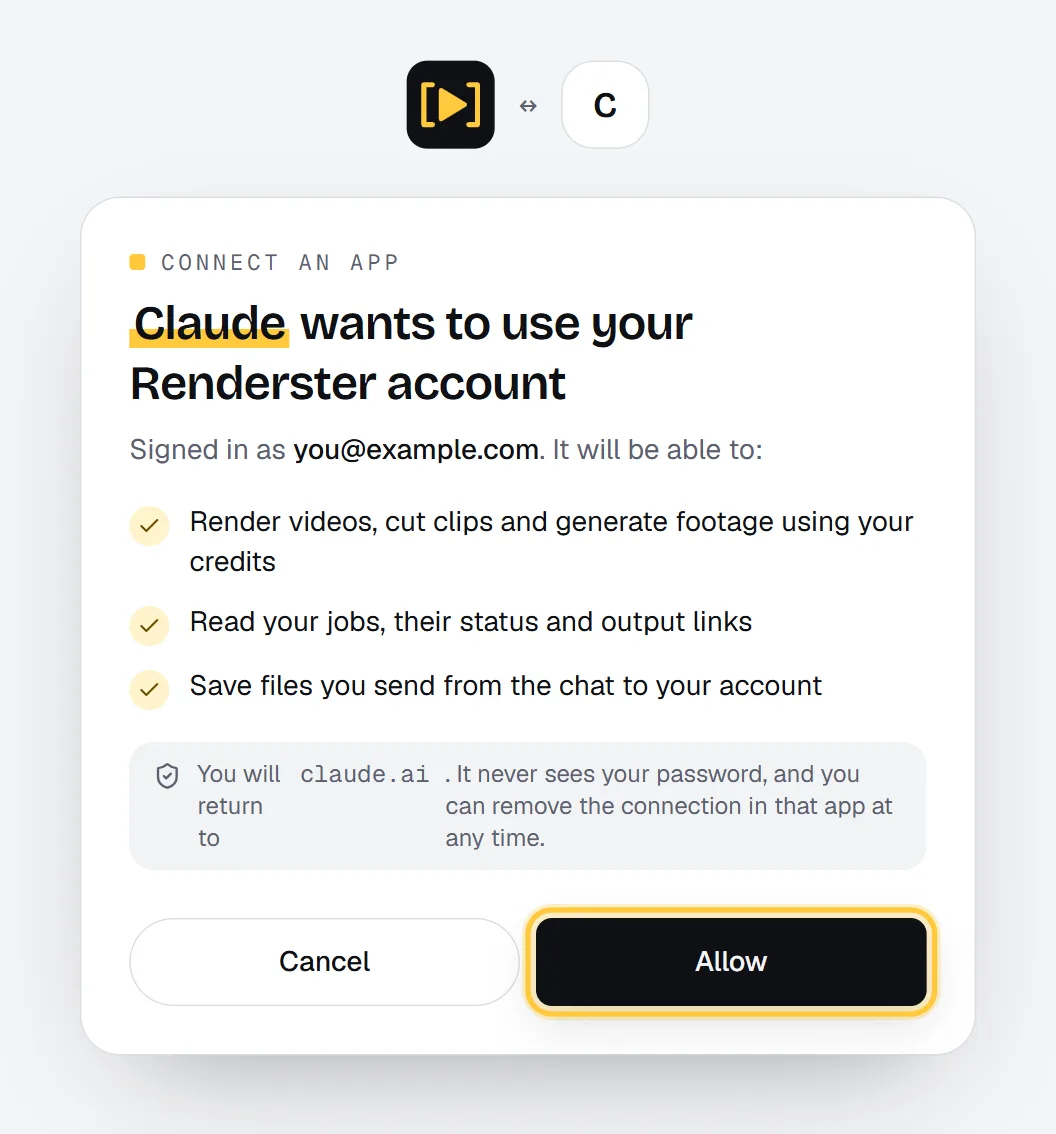
Claude opens a Renderster page in your browser. If you're not signed in to Renderster, sign in first. Then you see who is asking and what it may do:
Claude wants to use your Renderster account It will be able to: render videos, cut clips and generate footage using your credits; read your jobs, their status and output links; save files you send from the chat to your account.
Click Allow. The browser goes back to Claude and the connector shows as connected. No password or API key is shared with Claude: it gets a token that only works with Renderster's connector, and you can remove the connector at any time.
Step 3: Your first prompt
Open a new chat. Click + (bottom left), then Connectors, and switch Renderster on. Then ask in plain English:
Cut https://www.youtube.com/watch?v=VIDEO_ID into 5 vertical clips with captions. Give me the titles and hashtags.
What happens next:
- Claude calls
clip_videowith your link and options. Renderster answers with a job ID right away. - Claude calls
get_job, which can wait up to 50 seconds per call, and calls it again until the job is done. A clips job usually takes a few minutes. - Claude shows each clip with its title, hook, hashtags and link.
The first time Claude uses each Renderster tool, it asks you: Allow once or Always allow. Pick Always allow for the tools you use often (like get_job) so it doesn't ask on every check.
Here is a real chat (ours is in Portuguese; Claude answers in your language): we asked for the transcript of a short YouTube video. Claude called transcribe_video, checked the job with get_job, read the subtitle file Renderster made and showed the lines with their times, plus links to the SRT and VTT files.
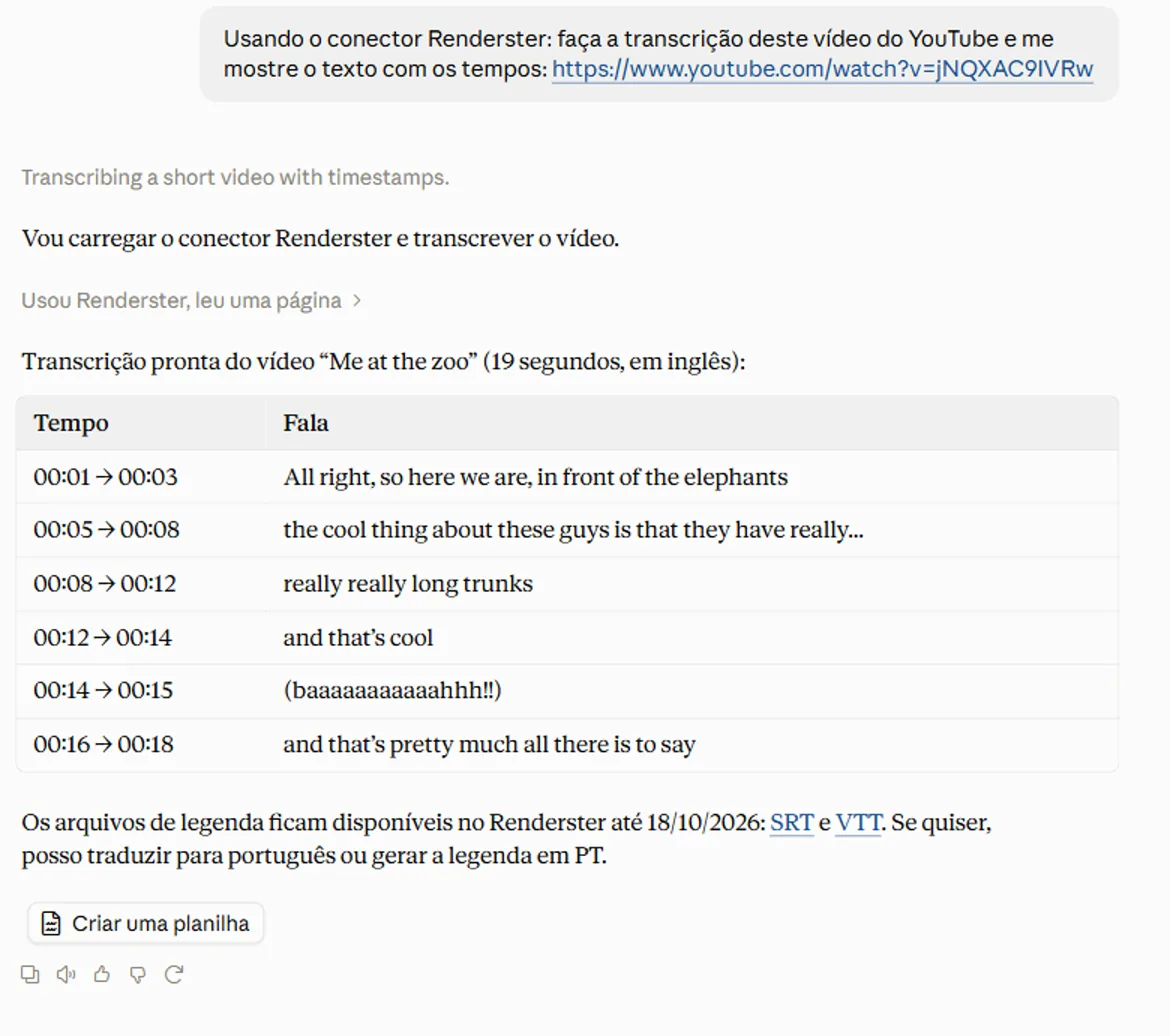
The links are signed renderster.com links (/files/...). They open in any browser and work for anyone you send them to, so you don't need Google Drive or your own storage to share the result. Each job has an expiry date; save what you want to keep.
Every job also appears in your Renderster Jobs list, so you can open it in the app, edit a clip or download everything there.
Sending your own video (upload link)
Claude can't pass a file you attach in the chat to another service. So for your own files, Renderster gives Claude an upload link:
- Ask: "I want to edit a video from my computer. Give me an upload link."
- Claude calls
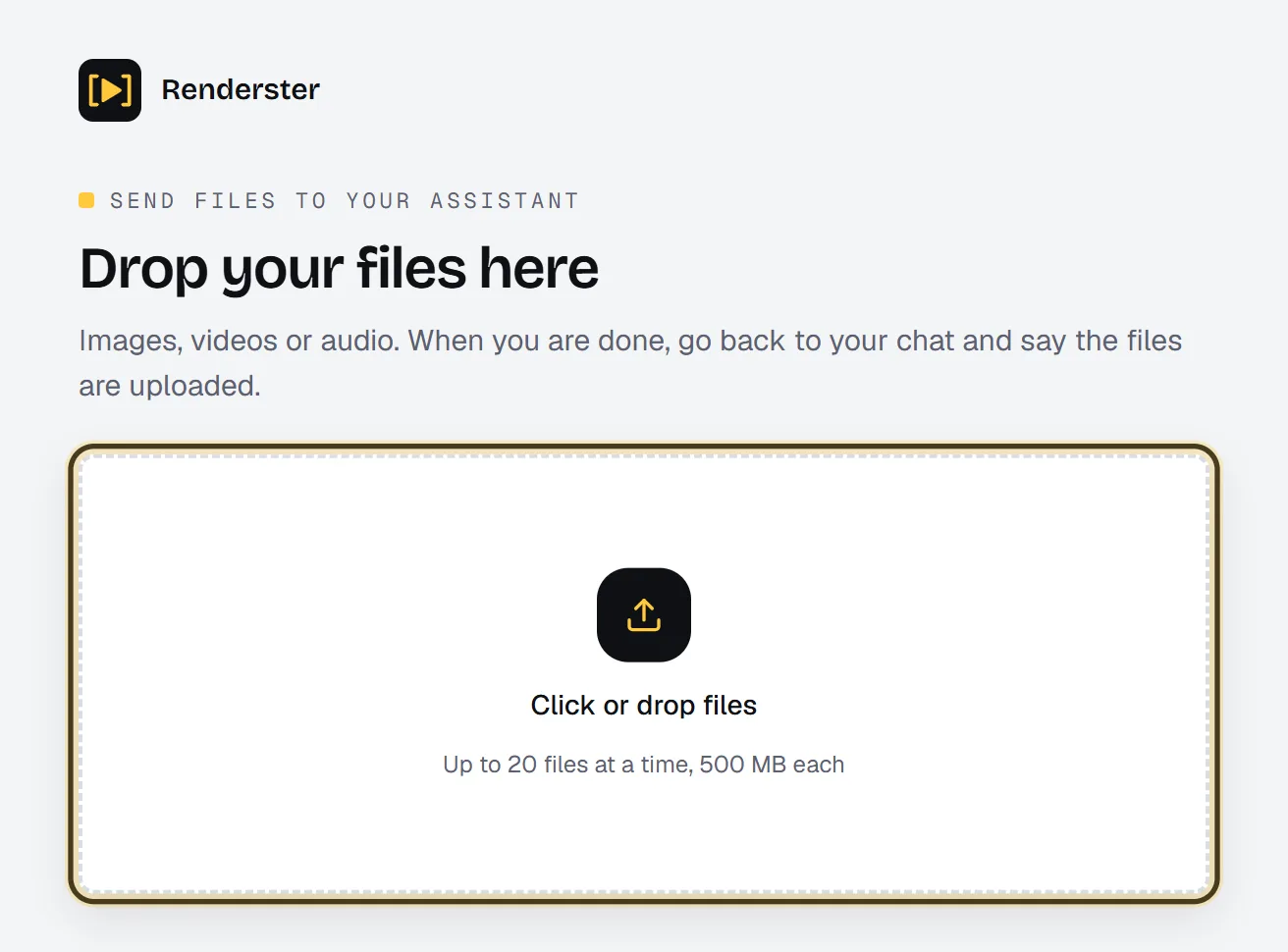
create_upload_linkand shows you a private page:renderster.com/upload/<token>. - Open it and drop your files ("Up to 20 files at a time, 500 MB each"). The link works for 24 hours.
- Tell Claude you're done. It calls
list_uploadsto get the file links and goes on with the edit.
If the video is already online (YouTube, TikTok, Instagram, X, Facebook, Vimeo or a direct MP4 link), just paste the link.
The same in ChatGPT (developer mode)
ChatGPT connects to MCP servers as "apps". As of October 2026, ChatGPT's help center article Developer mode and MCP apps in ChatGPT says developer mode and full MCP apps are rolling out in beta for ChatGPT Business, Enterprise and Edu, on ChatGPT web. Check that page for your plan before you start.
The steps from that article:
- Turn on developer mode. On Business, an admin or owner enables it when creating an app (Workspace settings → Apps → Create). On Enterprise and Edu, enabled users toggle it in Settings → Apps → Advanced Settings.
- Create the app. Go to Apps → Create (workspace settings for admins, user settings for authorized users). Name it Renderster and enter
https://mcp.renderster.com/mcpas the endpoint. - Pick OAuth as the authentication.
- Click Scan Tools. Complete the Renderster sign-in and click Allow, then wait for the tool scan.
- Click Create. The app shows up under Settings → Apps → Enabled Apps with a Dev label.
- In a new chat, pick Renderster from the tools menu, or mention it in your prompt.
One difference from Claude: files you attach in ChatGPT go to Renderster directly. Attach a video or photos and say what you want. No upload link needed.
ChatGPT may ask you to confirm before a tool runs, depending on the app's permissions. That's expected: Renderster's tools spend credits.
Claude Code, Cursor and other MCP clients
Claude Code:
claude mcp add --transport http renderster https://mcp.renderster.com/mcp
Then run /mcp inside Claude Code to sign in. On a server or in CI, use your API key instead of OAuth:
claude mcp add --transport http renderster https://mcp.renderster.com/mcp --header "Authorization: Bearer YOUR_API_KEY"
Cursor, VS Code, Codex and others: one command adds it to the agents you pick:
npx add-mcp https://mcp.renderster.com/mcp -n renderster
Or by hand, in the client's MCP config:
{
  "mcpServers": {
    "renderster": { "url": "https://mcp.renderster.com/mcp" }
  }
}
A coding agent with Renderster can, for example, generate a render JSON from your product database and render a video per product.
The tools Claude gets
| Tool | What it does |
|---|---|
clip_video |
Cuts a long video into captioned short clips with titles, hooks and hashtags |
auto_edit |
Edits a whole video: pauses, "um"s and retakes cut, zooms, captions, title, sound effects, optional music and cutaways |
edit_clip |
Re-renders one clip with a new start/end, title or caption style (1 credit) |
dub_video |
Translates and voices the video in another language (16 languages), with an SRT |
transcribe_video |
Text with timestamps, plus SRT and VTT |
download_video |
The video as MP4 with its metadata |
create_slideshow_video |
Photos to video, with transitions, captions, music and voiceover |
list_templates / render_template |
Ready-made templates (product promo, quote card, real estate tour…) filled with your text and images |
render_video |
Any layout from JSON |
preview_video |
The same JSON rendered free at 480p, to check before paying |
create_motion_video |
An animated video from a description, made by a team of AI agents |
learn_edit_style / list_edit_styles |
Learn an editing style from 1–3 reference videos and reuse it in auto_edit |
generate_video |
New AI footage from a prompt (Pro and Business plans) |
get_job, list_jobs, cancel_job |
Follow, list or cancel jobs (cancelling gives the credits back) |
create_upload_link, list_uploads, upload_files |
Get your files into Renderster |
get_account |
Your plan, credits and what each action costs |
10 prompts to copy
- "Cut https://youtube.com/watch?v=… into 5 vertical clips with captions, 30 to 60 seconds each. Give me titles and hashtags."
- "This is a podcast with two people. Make 6 clips with both speakers in frame, one above the other."
- "Only keep the moments where they talk about pricing. 3 clips."
- "Edit this video like a YouTube channel: cut the pauses and retakes, add captions, zooms and music. Keep it horizontal."
- "Make a vertical Short from the same video with the Clean pace style and no sound effects."
- "Dub this video into Spanish with a voice like the speaker's, and give me the subtitles file."
- "Transcribe this video and give me the SRT."
- "Turn these 6 photos into a 9:16 video, 2 seconds each, with the caption 'New collection' on the first one."
- "Show me the templates, then make a product promo for 'Studio Headphones', $129, with this photo."
- "Make a 30-second animated explainer about how our app sends invoices. Dark background, green accents, English narration."
Two follow-ups that save credits: "Preview it first" (Claude uses preview_video for renders) and "How many credits do I have left?" (get_account).
Costs and the free preview
Jobs started from Claude or ChatGPT use the same credits and plan rules as the app and the API.
| What you ask for | Cost |
|---|---|
| Clips from a video | 7 credits per video, any length |
| Fix one clip | 1 credit |
| Transcript | 2 credits |
| Download | 1 credit |
| Auto edit | 3 credits per minute of the edited video |
| Dub | 5 credits per minute |
| Render (slideshow, template, JSON) | 1 credit per started minute at 1080p |
| Preview of a render | free: 480p with a "Preview" mark, up to 180 s, 20 a day on paid plans and 5 on Free |
| Animated video (Studio) | 2 credits per second, at least 20 |
On Starter (US$29 for 600 credits) a credit is about US$0.048, so a clips job is about US$0.34. Plans and the trial are on /pricing. Your usage page shows calls from the connector marked as mcp.
Troubleshooting
Claude says it can't reach the server, or sign-in fails. Remove the connector and add it again, and make sure the URL ends in /mcp. If Claude asks how to register the OAuth client, pick the automatic option.
"Unknown client. Remove the Renderster connector and add it again." Renderster doesn't know that registration anymore. Do what the message says.
The consent page says the request isn't valid anymore. It's valid for 15 minutes. Start the connection again from Claude or ChatGPT.
A tool says the feature needs a paid plan. Clips work on the Free plan once (up to 3 clips). Downloads, transcripts, auto edit and dubbing need a paid plan; start the 7-day trial.
"Insufficient credits." Ask "How many credits do I have?" and top up with a Credit Pack if needed.
Claude stops before the job ends. Long jobs take a few minutes. Say "check the job again" and it calls get_job with the job ID. The job also runs to the end in Renderster whether the chat waits or not.
Claude can't use the file I attached. Ask for an upload link (see above), or paste a public link.
For automations without a chat, the same jobs run from n8n or straight from the API.
FAQ
Can Claude edit videos?
Not by itself, but with the Renderster connector it can: it cuts clips, edits whole videos (pauses, retakes, zooms, captions, music), dubs, transcribes and renders, by calling Renderster's tools. The editing runs on Renderster and Claude gives you the links.
Is the Renderster connector free?
Adding it is free. Jobs use Renderster credits: the Free plan has 60 credits and one clips job (up to 3 clips), and render previews are free at 480p. Downloads, transcripts, auto edit and dubbing are in the paid plans, which start with a 7-day free trial.
How do I make videos with ChatGPT?
Add Renderster as an MCP app in ChatGPT's developer mode, with https://mcp.renderster.com/mcp as the endpoint and OAuth as the authentication. ChatGPT's help center lists developer mode for Business, Enterprise and Edu workspaces on ChatGPT web as of October 2026. Then pick Renderster in a chat, attach your video or paste a link, and ask.
Do I need an API key?
Not in Claude or ChatGPT: you sign in with OAuth and click Allow. In Claude Code, scripts or CI you can pass your API key as a Bearer header instead.
How do I send my own video to Claude?
Ask Claude for an upload link. It gives you a private Renderster page where you drop the files (up to 500 MB each, valid 24 hours), then it picks them up. In ChatGPT you can attach the file directly. Public links (YouTube, TikTok, Instagram, X, Facebook, Vimeo, direct MP4) work in both.
Where are the finished videos?
On Renderster, behind signed renderster.com links that anyone can open, and in your Jobs list in the app. Download what you want to keep before the job's expiry date.